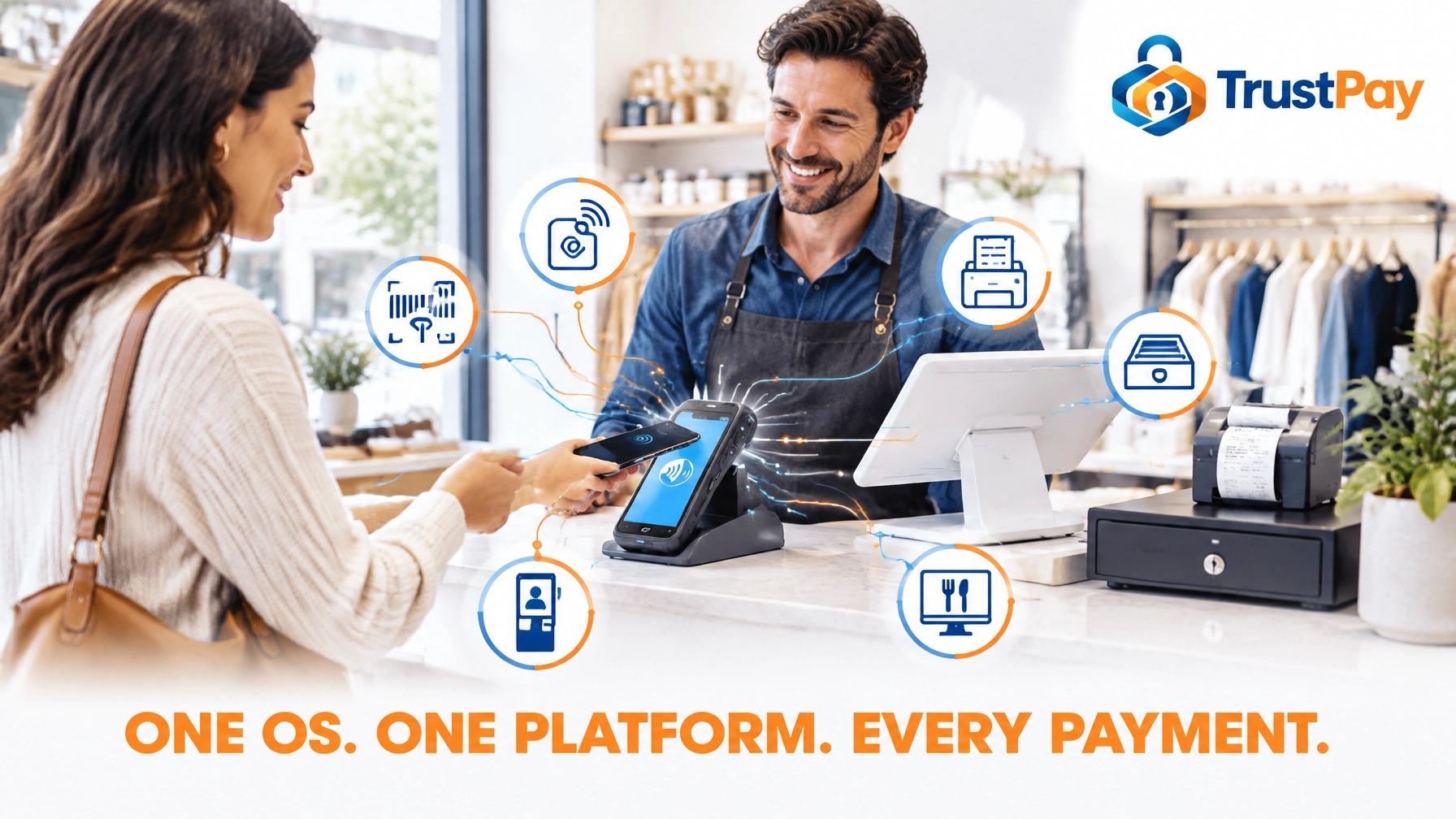
One OS. One Platform. Every Payment.
Executive summary
Payment solutions are no longer just a terminal at the counter: they are an operating environment. Your checkout should connect sales, stock, staff tools, and customer service in one system that grows with your business, and the operating system underneath decides whether that is possible.
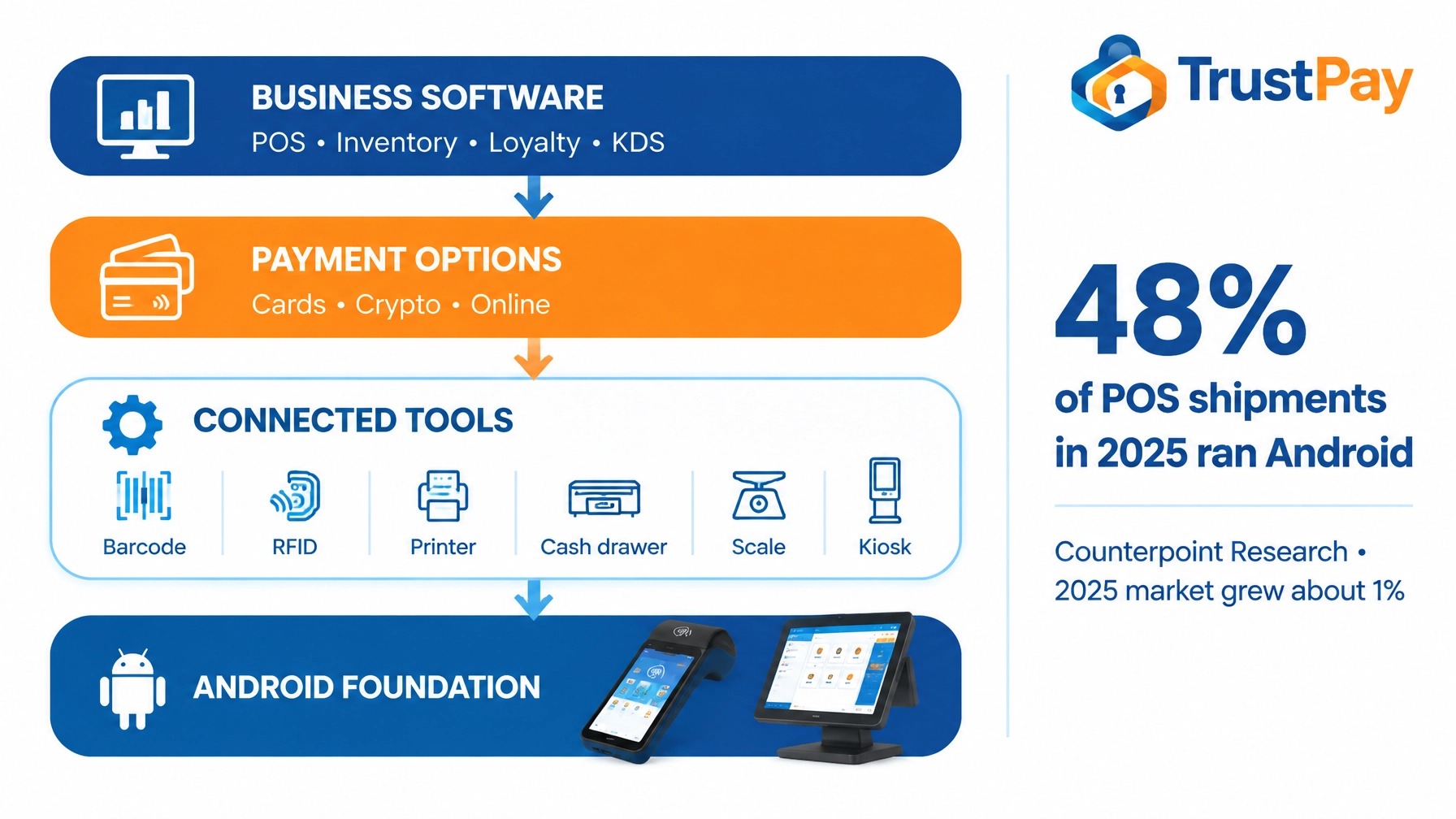
Android is that foundation. Counterpoint Research reports that Android represented about 48% of POS shipments in 2025, while the overall market grew about 1%. That scale points to a broad hardware and software ecosystem, not a dead-end device tied to one provider. Build on it and you can connect the pieces that make a counter perform: barcode and RFID data capture, peripherals, kitchen displays, kiosks, and payment rails from cards to crypto.
Build around an open, supported Android platform and you can add compatible devices, software, and peripherals over time. Connect barcode scanners and RFID for faster item capture. Add kitchen displays, kiosks, printers, and scales where they help operations. Keep payment choices flexible without rebuilding the whole counter.
Key points
- Choose an operating platform, not just a payment terminal: the OS decides what your counter can become.
- Android approaches half of POS shipments and gives merchants the open foundation a locked terminal never will.
- Compare full cost of ownership: Android hardware runs 30% to 60% below proprietary equivalents, before the replacements a locked device forces.
- Connect the complete environment: barcode and RFID data capture, printers, cash drawers, scales, kiosks, and kitchen displays.
- Keep processor choice independent: switch payment providers without replacing the device.
- On $20,000 a month, cards at 2.9% cost $580 while TrustPay.us ACH at 0.8% costs $160. That is $420 kept every month and roughly $5,040 a year.
- Merchants processing $1.5 million or more annually routinely lose $50,000 or more: fragmented environments are a major source of that loss.
The OS determines what your counter can become
A terminal is the screen and hardware your staff touch. The operating system determines which applications can run, which peripherals can connect, and how easily the setup can adapt.
Closed environment: A proprietary, processor-locked terminal may work for one payment flow. But if your needs change, you face limited integrations, restricted hardware choices, or a costly device replacement. Many locked devices become unusable if you switch providers.
Open Android environment: A supported Android platform gives you choice in devices and applications. Add tools as your business grows, from inventory and loyalty software to a kitchen display or self-order kiosk, and keep the processor decision separate from the hardware decision.
Open does not mean every device works with every app. Confirm hardware compatibility, payment certifications, peripheral support, and processor requirements before you buy. The goal is to keep options open, not to assume every component connects automatically. AIDC hardware (barcode and RFID readers) should be chosen against the same test: supported drivers, certified integration, and a software stack that uses the data.
Why Android makes a strong foundation
Build on the market standard. Counterpoint Research reports that Android accounted for about 48% of POS device shipments in 2025, in a market that grew about 1%. Android is winning share because it connects payments with business software instead of walling them off.
Cut hardware cost and replacement risk. Vendor-published comparisons cite Android hardware prices 30% to 60% below some proprietary equivalents. Include software subscriptions, integrations, support, peripheral costs, and replacement schedules in your total-cost calculation, because a locked device that cannot follow you to a new processor is the most expensive device you can buy.
Set a real security baseline. Android 13 and later include modern privacy controls such as scoped storage, which limits how apps access shared files. Check the manufacturer's security-patch commitment, payment approvals, and supported lifecycle.
Keep devices maintained remotely. Over-the-air updates let teams manage fleets without handling every terminal individually, so new payment methods and fixes arrive without a truck roll. Confirm update cadence and how payment certifications are preserved during updates.
Check compatibility. GMS certification matters when your apps rely on Google Mobile Services or Google Play. Verify Android compatibility, GMS status where needed, and the requirements of your payment and business applications.
Build the complete environment
A performing setup combines the right form factors, software, and connected tools. Start with the work your staff do every day, then choose components that support it.
Match the device to the job
- Countertop terminals: Keep checkout steady at a fixed register.
- Handheld terminals: Take payment to the customer, table, or service bay.
- Tablets: Give staff room for ordering, customer lookup, and sales tools.
- Self-order kiosks: Let customers place orders while staff focus on service.
Connect the useful peripherals
Add compatible card readers, receipt printers, cash drawers, customer displays, and scales. USB, Bluetooth, and Wi-Fi can connect many peripherals, depending on device support and the software configuration. Check each connection before purchase.
Connect AIDC: barcode and RFID capture
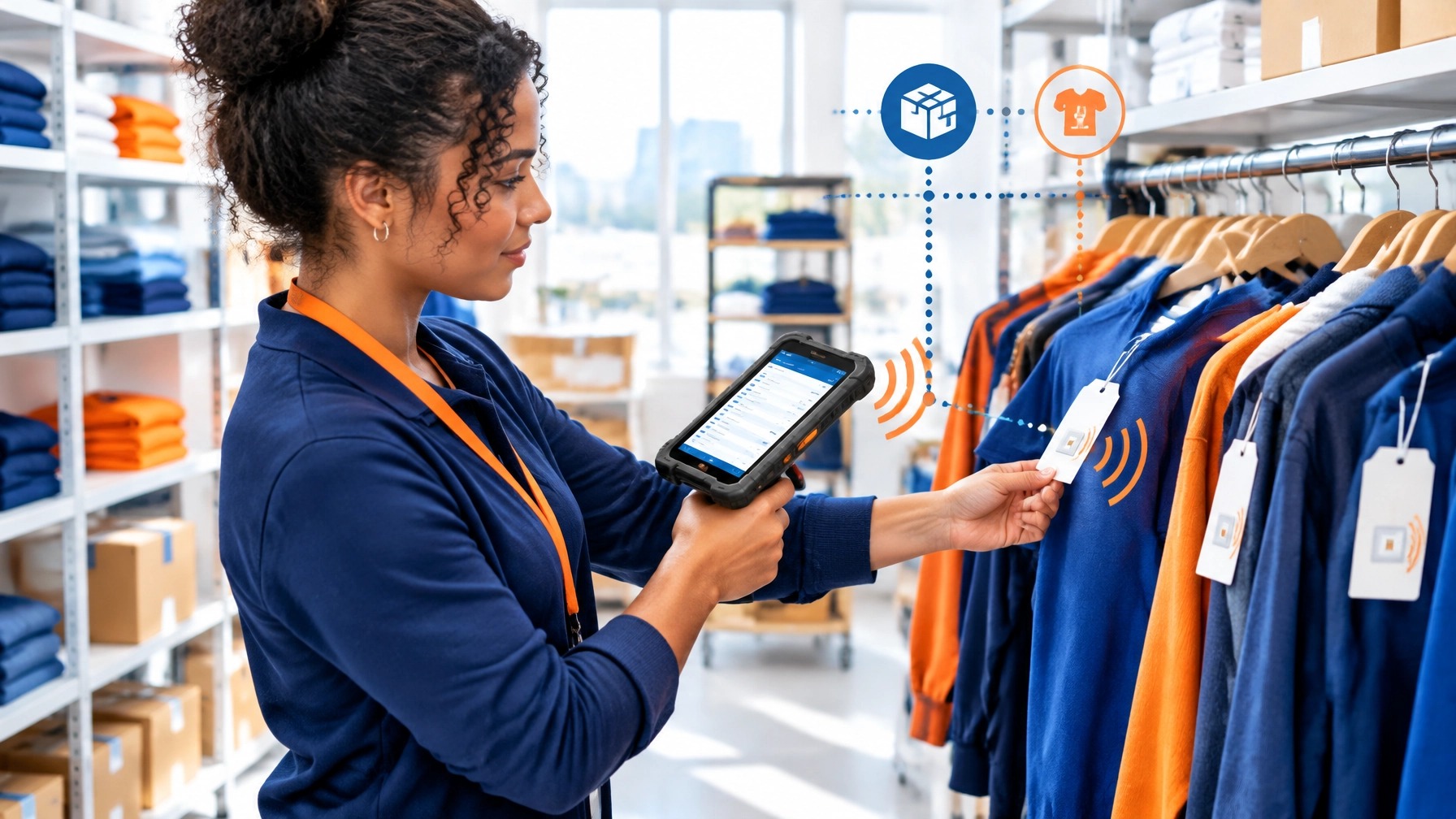
AIDC (automatic identification and data capture) is the piece most counters skip, and it is where Android pays off most. A compatible barcode scanner removes manual entry at the register. An RFID reader reads many tagged items at once, without line of sight, so counts that took hours take minutes and shrinkage becomes visible instead of assumed. On an open Android terminal, these readers connect through standard interfaces and feed the same POS and inventory software that runs your checkout, so capture, pricing, and stock stay in one data environment instead of three.
Choose software that earns its place
A POS app manages items and sales. Payment software completes transactions. Inventory and loyalty tools help staff serve customers and manage stock. In restaurants, kitchen display systems can send orders to the right station. Add only what makes a measurable difference to time, accuracy, service, or sales.
Barcode and RFID: the data layer that makes the counter perform
Barcodes give staff a familiar, cost-effective way to identify an item with a scan. They reduce manual entry and link the product to its price and stock record.
RFID adds a different capability. A compatible reader can identify multiple tagged items without pointing directly at each tag. This makes RFID useful for apparel counts, receiving, item finding, and stock checks. It can support loss-prevention workflows when item reads are compared with sales records, but RFID is not a complete theft-prevention system.
GS1 describes RFID as a way to read multiple tags without line of sight and notes potential inventory-counting speeds above 20,000 items per hour, compared with around 250 items per hour for barcode counting. These are potential rates, not promised results. Tag quality, store layout, reader placement, and staff workflows all affect performance.
The performance case is simple: better capture means better data, and better data means fewer errors, tighter stock, faster checkout, and a payment environment that earns its keep. On an open Android foundation, the data layer is an upgrade, not a rebuild.
Put payments on top of operations
The device should fit into the way your business sells. An Android-based payment setup can bring cards and cryptocurrency together on a compatible device, with separate tools for online checkout or phone payments when needed.
TrustPay.us supports card and crypto acceptance through its POS offering, along with online and in-person payment options. That gives merchants a way to connect the counter experience with broader payment activity and reporting. Explore TrustPay POS and online and in-person payments.
For eligible business payments, ACH can add a lower-cost payment choice alongside cards. On $20,000 a month, cards at 2.9% cost $580 while TrustPay.us ACH at 0.8% costs $160. That is $420 kept every month and roughly $5,040 a year.

Protect leverage and reduce avoidable costs
Processor independence depends on compatible, certified hardware and a provider willing to support the configuration. But choosing a flexible platform can give you more room to evaluate providers without replacing every device. It can also let you add payment methods without rebuilding your operating setup.
At $1.5 million or more in annual processing volume, merchants can routinely lose $50,000 or more across processing spread, fragmented hardware and software, and card fees on payments that belong on ACH. Fragmented, closed environments can contribute to that leakage by forcing unnecessary replacements and making it harder to match the right payment method to each transaction. Actual costs depend on your business, pricing, and payment mix.
Treat that $50,000 threshold as a reason to audit the full environment: processing statements, hardware, software, integrations, and transaction types. Review your fees with the TrustPay.us Fee Audit.
Where TrustPay.us fits
TrustPay.us connects modern POS hardware with one platform for card and crypto payments. Its POS offering includes cloud-based reporting, gift and loyalty tools, kitchen display integration, and self-order kiosk support. Merchants can also explore cash discount and dual pricing options, next-day funding, and transparent pricing.
TrustPay.us supports high-risk businesses and provides 24/7 human support. The right configuration depends on your store, payment needs, and required integrations. Start with a review of the hardware and workflows you already use, then identify what should connect next.
Build a Counter That Keeps Pace With Your Business
Stop treating checkout as a terminal purchase. Choose a supported Android foundation, connect the data-capture and peripheral tools your team needs, and keep your payment environment ready to grow.
Get a POS setup review: Contact TrustPay.us
Find the cost of fragmented processing: Start your free Fee Audit
Industry methodology and references
Industry methodology: numerical scenarios are illustrative unless a named source and method are supplied; they are not measured TrustPay customer outcomes. Calculate card cost using the actual invoice value and quoted rate, then include transaction, platform, return, conversion and settlement charges for alternatives. ACH requires authorization and can be returned. Crypto finality is not a guarantee against fraud, refunds or payout delays. Cash discount, dual pricing and surcharging are distinct programs subject to applicable rules. Implementation and savings depend on the business, customer adoption and actual contract.
Which payment workflow fits the industry problem?
Compare the full cost of cards, suitable ACH payments and optional crypto acceptance. Start with the actual fee schedule, customer payment preferences and settlement needs.
Get Your Free Quote →